
Did you know you don’t need to download any apps or visit a separate website to play some of your favorite classic games? Google Search itself hosts a variety of hidden Easter eggs and mini-games, offering instant entertainment directly within the search results. The iconic Pac-Man Google Doodle game, for instance, can be initiated by simply searching ‘Pac-Man’ on Google, providing a playable experience without any downloads or waiting. It’s a delightful surprise waiting for anyone who knows what to look for.
How to Instantly Play Games on Google Search: A Step-by-Step Guide
Finding and playing games directly on Google Search is surprisingly straightforward, often requiring nothing more than a specific search query. Think of it like unlocking a secret level within the search engine itself. For popular titles like Pac-Man, Snake, or Tic-Tac-Toe, the process is usually as simple as typing the game’s name into the search bar. You’ll then want to scan the results page for an interactive element – this might be a prominent play button, an animated graphic, or even the game board appearing directly on the page.
> To play games directly in Google Search, users typically need to perform a targeted search for the game’s name or a related keyword (e.g., ‘Pac-Man’, ‘snake game’, ‘tic-tac-toe’), then look for an interactive element or play button within the search results.
For example, if you search for “Pac-Man,” you’ll likely see the classic arcade game ready to be played, complete with score tracking and familiar sound effects. Similarly, searching for “snake game” will often bring up a playable version of the digital classic. A common mistake people make is using overly generic terms like “online games,” which won’t trigger these specific Easter eggs. Instead, be direct with your search. For Tic-Tac-Toe, a simple query like “play Tic-Tac-Toe” usually does the trick, presenting you with a board and an AI opponent. These playable search results are a testament to Google’s commitment to enhancing user experience beyond simple information retrieval. It’s a clever way to add a bit of fun to your day.
Discovering Google Search’s Hidden Games & Easter Eggs
Google has a long-standing tradition of embedding fun, interactive elements—often called Easter eggs—within its search engine and other products. These aren’t just random glitches; they are deliberate additions designed to surprise and delight users, adding a layer of personality and whimsy to an otherwise functional tool. From fun mini-games to curious facts, these hidden gems make the act of searching a little more engaging.
> Google Search contains various Easter eggs and mini-games that can be accessed by typing specific queries or phrases, offering quick entertainment directly within the search results page.
The joy of discovering these hidden features lies in the element of surprise. You might be searching for information on a historical event and stumble upon a playable Doodle celebrating it, or perhaps a simple query about animals could reveal an interactive sound experience. These additions showcase Google’s creative side and its understanding that sometimes, a brief moment of fun can significantly improve a user’s interaction with technology. The variety is vast, ranging from simple animations to full-fledged, albeit brief, gaming experiences. These Google Easter eggs are more than just digital trinkets; they’re a reflection of a company that values delight alongside utility. Who doesn’t love a little surprise?
The All-Star Lineup: A Comprehensive Google Games List
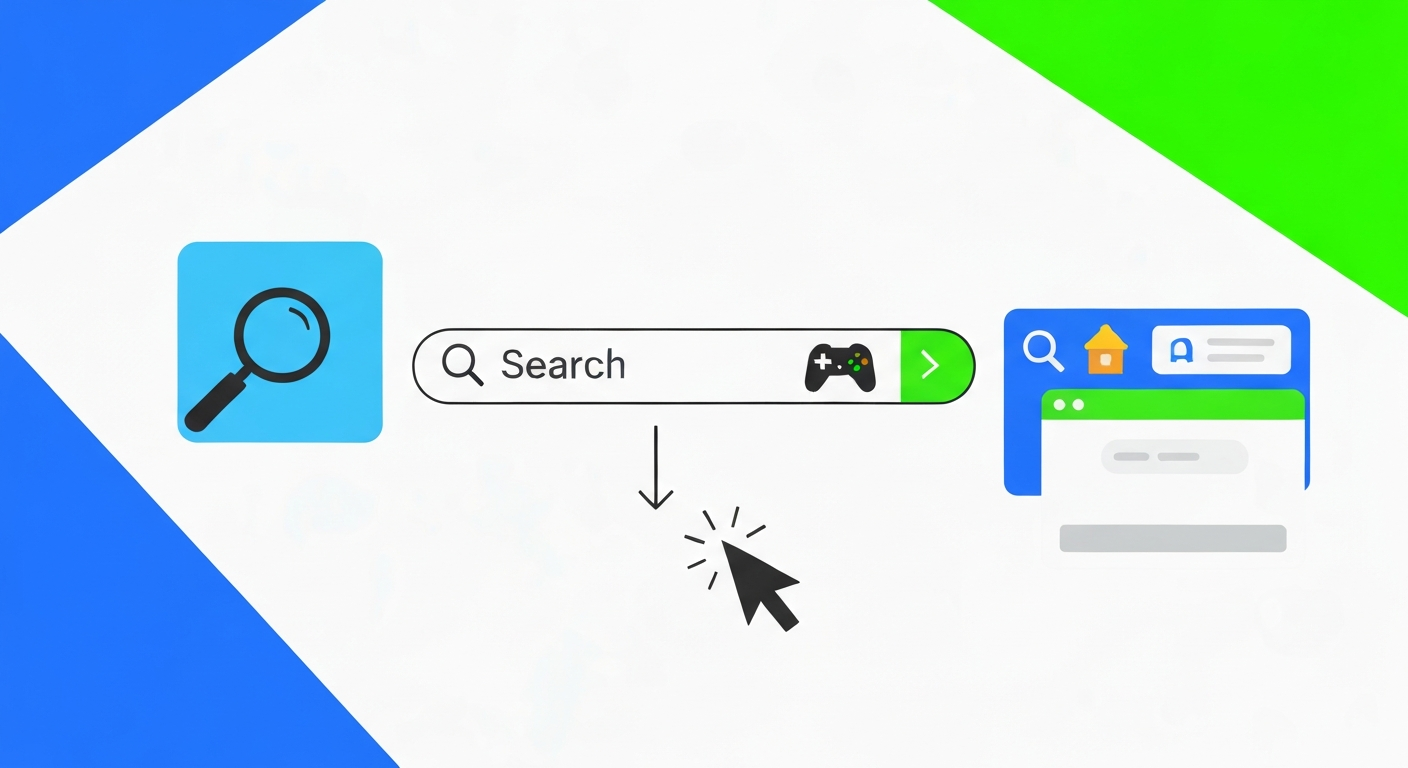
Google’s search results page has become a surprisingly rich playground for classic games and interactive experiences. These aren’t downloaded applications; they are integrated directly into the search interface, ready for you to jump in with just a few keystrokes. For anyone looking for a quick distraction or a dose of nostalgia, this collection is a treasure trove.
The most iconic example, of course, is Pac-Man. Typing “Pac-Man” into the Google search bar will often bring up the original arcade game. You’ll see the familiar maze, the ghosts, and the power pellets, all playable directly on the search results page. It’s a brilliant way to relive arcade memories without needing an emulator or visiting a dedicated gaming site. This particular Doodle celebrated the game’s 30th anniversary back in 2010 and has remained a fan favorite.
Next up is the ubiquitous Snake game. A simple search for “snake game” usually provides an interactive version where you control a growing snake, trying to eat dots while avoiding crashing into the walls or your own tail. It’s the perfect example of a game that’s easy to learn but challenging to master, making it ideal for short bursts of play. It’s surprisingly addictive.
For those who enjoy a bit of strategy, Tic-Tac-Toe is another readily available option. Searching “Tic-Tac-Toe” often presents you with a playable board where you can challenge the Google AI. It’s a classic that offers a quick mental exercise and a chance to prove your strategic prowess.
Google also frequently offers playable versions of popular card games. A search for “Solitaire” might bring up a digital deck ready for shuffling and play. While not always available as a permanent fixture, these integrations appear periodically, especially around anniversaries or holidays related to card games.
Beyond these consistent offerings, Google also integrates other fun, interactive experiences. Searching for things like “spin the bottle” might activate a virtual bottle you can spin. Queries related to specific historical events or scientific concepts can sometimes lead to animated, interactive explanations that feel like mini-games in themselves. The key is often the directness of the search query.
For instance, to play the classic maze game, simply search “Pac-Man.” To get your snake-charming fix, type in “snake game.” And for a quick round of noughts and crosses, “Tic-Tac-Toe” is your best bet. These playable Google search results are a constant reminder of the fun lurking just beneath the surface of everyday searching.
[LINK:how-to-play-pac-man-on-google-search] [LINK:guide-to-the-google-snake-game]
Unlocking Playable Google Doodles: More Than Just Art
Google Doodles have become a celebrated part of the internet landscape, transforming the familiar Google logo into an artistic tribute for holidays, anniversaries, and notable figures. What many people don’t realize is that a significant number of these Doodles are not just static images or animations; they are fully interactive mini-games. These playable Google Doodles offer a delightful blend of art, history, and entertainment, accessible with a simple click.
> Playable Google Doodles are interactive creations celebrating holidays, anniversaries, and achievements, often turning into engaging mini-games accessible directly through a simple Google search.
The origin of these interactive Doodles dates back to the company’s early days, with the first truly interactive Doodle appearing in 2010 for the 30th anniversary of Pac-Man. Since then, Google has produced thousands of Doodles, and a substantial portion have been gamified. For example, Doodles celebrating the Olympics or other sporting events often transform into sports simulations – think basketball dunking contests, cricket matches, or even sprinting races. These games are designed to be instantly engaging and playable, requiring no complex instructions. It’s a masterclass in interactive design.
One memorable playable Doodle allowed users to conduct an orchestra by clicking on various parts of the screen. Another celebrated the contributions of scientists with interactive puzzles. The breadth of these creations is astounding. While Google doesn’t maintain a definitive public list of all playable Doodles ever created, their search portal for Doodles often highlights interactive ones, and a simple search for a past event or anniversary might still bring up a playable version if Google has kept it accessible. These aren’t just fleeting moments of fun; they represent a significant effort to make learning and engagement enjoyable through interactive digital art. It’s estimated that Google has created over 5,000 Doodles since 1998, and a considerable number of those have included game elements.
The ‘Why’: Google’s Intent Behind Playable Search Features
Google’s decision to embed playable games and interactive Easter eggs within its search results isn’t just about adding a bit of fun, though that’s certainly a significant part of it. There are several strategic reasons behind this approach, all aimed at enhancing the user experience and reinforcing Google’s brand identity. These features contribute to a more engaging and memorable interaction with the search engine.
> Google embeds playable features and Easter eggs into search results to enhance user engagement, provide quick moments of delight, and showcase the search engine’s innovative capabilities.
Firstly, these games boost user engagement. By offering something interactive and entertaining, Google encourages users to spend more time on its platform. This can be particularly effective for simple, addictive games that appeal to a broad audience, turning a quick search into a brief, enjoyable break. It transforms the search engine from a purely utilitarian tool into something more dynamic.
Secondly, these features contribute to brand personality. They showcase Google as a company that is innovative, playful, and human. This helps to build a stronger emotional connection with users, making the brand more relatable and memorable. It’s a way for Google to express its culture and values through its products.
Thirdly, playable search elements serve as a demonstration of technological capability. By integrating complex interactive experiences directly into the search results page, Google showcases its technical prowess. It highlights the engine’s ability to handle rich media and complex interactions seamlessly, reinforcing its position as a leader in web technology.
Finally, these games can serve as a form of organic marketing and recall. When a user enjoys a playable Doodle or a hidden game, they are more likely to remember the experience positively and associate it with the Google brand. This can lead to increased brand loyalty and positive word-of-mouth. In essence, Google’s playable features are a clever way to combine utility with delight, making the act of searching more enjoyable and reinforcing Google’s image as an innovative and user-centric company. It’s a win-win for users and the brand.
Beyond the Search Bar: Other Ways to Play Games on Google
While the thrill of discovering hidden games directly within Google Search is undeniable, Google’s ecosystem offers several other accessible avenues for playing games, often with even more variety and depth. These options leverage Google’s platforms to provide a wider range of gaming experiences, from casual browser-based titles to more robust gaming services.
One of the most straightforward is through Google Play Games. While this is primarily associated with mobile devices, many games available on the Google Play Store are designed for quick, casual play and can be enjoyed on smartphones and tablets without requiring extensive downloads or installations for certain titles. Some games even offer cloud saves that sync across devices.
Then there are the browser-based games that Google often highlights or links to. These are games that run entirely within your web browser, similar to the search Easter eggs but often more developed. Searching for “browser games” or specific genres might lead you to curated lists or direct links to popular titles. These are fantastic for instant gratification, as they require no installation and can be played on any device with a web browser. For instance, sites like Poki or CrazyGames are well-known for offering a vast library of free-to-play browser titles, and Google often indexes these prominently.
For a more curated and high-fidelity gaming experience, there was Google Stadia, though its operations have now ceased. However, the concept of Google venturing into gaming services hints at potential future directions. While Stadia is no longer available, its existence demonstrated Google’s interest in offering more integrated gaming solutions.
Google also sometimes integrates short, interactive experiences through other services. For example, Google Assistant can sometimes play simple text-based adventure games or trivia quizzes. While not strictly “search games,” these are all part of Google’s broader effort to make its services more interactive and entertaining. The key takeaway is that Google provides multiple entry points for gaming, from quick search diversions to more dedicated platforms, catering to different levels of engagement and interest in browser games.
[LINK:best-browser-games-for-quick-play]
Troubleshooting: Why Can’t I Find or Play a Google Game?
It can be frustrating when you try to find a hidden Google game, like the Pac-Man Doodle or the Snake game, and it’s nowhere to be found. You’re confident you’re searching correctly, but the interactive element simply doesn’t appear. Don’t worry, there are a few common reasons this might be happening, and most are easily fixable. Understanding these nuances can save you a lot of searching time.
> Common reasons for not finding Google search games include using overly generic search terms, outdated search engine versions, or region-specific feature rollouts that may affect availability.
One of the most frequent issues is using incorrect or overly generic search terms. While searching “games” might bring up general gaming sites, it won’t usually trigger specific Easter eggs. As mentioned earlier, you need to be precise. For example, if you’re looking for the classic maze game, search specifically for “Pac-Man” or “Pac-Man game.” For the line-following challenge, use “snake game.” A simple search for “Google games” is also unlikely to yield direct results for these hidden treasures.
Another factor can be the version of Google Search you are using. While most common hidden games are widely available, some newer Easter eggs or Doodles might be subject to gradual rollouts. Ensuring your browser is up-to-date and that you’re accessing Google through a standard search interface (rather than a specialized app or widget that might have limitations) is important. Sometimes, clearing your browser’s cache and cookies can also resolve rendering issues with interactive elements.
Device compatibility and browser settings can also play a role. While most of these games are designed for broad compatibility, very old browsers or specific mobile browser configurations might struggle with the JavaScript required for these interactive features. Additionally, some network restrictions or ad-blockers could potentially interfere with the loading of these interactive elements. Double-checking that your browser is reasonably current and that any extensions aren’t overly aggressive in blocking content is a good troubleshooting step.
Finally, Google does occasionally retire older Easter eggs or Doodles. While classics like Pac-Man and Snake are usually kept accessible due to their popularity, some more obscure or temporary interactive features might be removed over time. If you’re searching for a game you heard about but can’t find, it’s possible it’s no longer available. However, for the most popular ones, persistence with the correct search terms is usually the key.
The Future of Playable Search: What’s Next for Google Games?
As technology rapidly evolves, the integration of interactive elements within Google Search is likely to become even more sophisticated. The current landscape of hidden games and playable Doodles offers a glimpse into a future where search engines are not just information providers but also dynamic platforms for engagement and entertainment. We can anticipate Google continuing to push the boundaries of what’s possible within the search results page.
> The integration of playable features within Google Search is likely to evolve, potentially incorporating more sophisticated interactive elements and leveraging AI to personalize gaming experiences directly within search results.
One significant area of development will undoubtedly be the impact of artificial intelligence. AI could enable highly personalized gaming experiences, where the difficulty, theme, or even type of game suggested directly relates to your search history and interests. Imagine searching for “cooking tips” and being presented with a short, interactive game about ingredient matching or recipe assembly, tailored to your skill level.
We might also see Google explore more complex game mechanics being embedded directly into search. Instead of simple arcade games, we could encounter mini strategy games, puzzle challenges that test logical reasoning, or even educational games that teach concepts in an interactive way. This aligns with Google’s broader mission to organize information and make it universally accessible and useful, extending that utility into playful learning.
Furthermore, as augmented reality (AR) becomes more mainstream, it’s not far-fetched to imagine AR-enhanced search results where interactive games can be overlaid onto the real world through your device. While this moves beyond the traditional “search bar” experience, it represents a natural progression of interactive search. Content freshness will also be key, with Google likely experimenting with time-limited interactive events or seasonal games that encourage repeat engagement. The trend points towards search becoming less of a static page and more of a dynamic, interactive hub. The possibilities are truly exciting.
Comparison: Hidden Google Games vs. Dedicated Gaming Apps
When you’re looking for a quick gaming fix, the choice often comes down to whether to dive into the hidden games within Google Search or to download a dedicated gaming app. Both offer distinct advantages and disadvantages, catering to different needs and preferences. Understanding these differences can help you choose the best option for your current mood and available time.
| Feature | Hidden Google Games | Dedicated Gaming Apps |
|---|---|---|
| Accessibility | Instant; no download or installation required. | Requires download and installation, taking up device space. |
| Time Investment | Ideal for very short bursts; quick play sessions. | Can range from quick to hours-long sessions; often deeper engagement. |
| Game Complexity | Typically simple, classic arcade or puzzle games. | Wide range from simple to highly complex, graphically intensive games. |
| Variety | Limited selection of classic titles and Doodles. | Vast library covering every genre imaginable. |
| Internet Connection | Generally requires an active connection for loading. | Many offer offline play modes after initial download. |
| Updates & Features | Dependent on Google’s implementation; generally static. | Regularly updated with new content, features, and events. |
| Monetization | Typically free, ad-supported or entirely free. | Can be free-to-play (with ads/in-app purchases), premium, or subscription-based. |
| Device Storage | Consumes negligible storage space. | Can consume significant storage space, especially for larger games. |
The primary benefit of playing games through Google Search is immediate access and convenience, allowing users to engage in quick, casual gameplay as a distraction or to pass the time without leaving the search interface. It’s perfect for those moments when you just need a quick break.
For those who crave deeper gameplay, more advanced graphics, or a wider selection of genres, dedicated gaming apps are the way to go. They offer richer experiences and are designed for sustained play. However, they come with the trade-offs of installation time, storage usage, and often a more involved commitment. Hidden Google games remain the champion for instant, no-fuss fun.
Frequently Asked Questions
Q: How do I play games on Google Search?
A: Search for the game’s name (e.g., ‘Pac-Man’, ‘snake game’) and look for an interactive element or play button directly in the search results.
Q: What are the hidden games on Google?
A: These are interactive Easter eggs like Pac-Man, Snake, Tic-Tac-Toe, and various playable Google Doodles, found by typing specific search queries.
Q: Can you still play Google Easter eggs?
A: Yes, many classic Google Easter eggs and playable games remain accessible through specific search terms, though some older ones may be retired.
Q: What is the best Google Search game?
A: This is subjective, but popular choices include the Pac-Man Doodle for its nostalgia and the Snake game for its simple, addictive gameplay.
Q: How do I play Pac-Man on Google?
A: Simply type ‘Pac-Man’ into the Google search bar. A playable version of the classic game should appear directly in the search results.
Q: Are there any games that I can play without downloading?
A: Absolutely! All hidden Google games and playable Doodles are designed to be played directly in your browser without any downloads required.