
Educational unblocked games are a fantastic way for students to grasp tough subjects while actually having fun. Teachers specifically pick and approve these games because they’re all about learning objectives, keeping kids safe, and making sure content is just right for their age. They skillfully weave curriculum ideas into gameplay that kids genuinely enjoy. A key point is that these games often integrate lesson concepts so smoothly, students learn without even realizing they’re being taught.
Top Teacher-Approved Unblocked Games for Engaging Learning
Finding the right educational games can completely flip a passive learning experience into something active and downright enjoyable. Teachers are always on the lookout for unblocked educational games that do more than just entertain; they need games that reinforce classroom concepts, crank up student engagement, and tick all the right learning standard boxes. These games become serious assets in a teacher’s toolkit, especially when access to certain software is tricky.
> The best unblocked educational games seamlessly blend fun with learning. Think ‘Prodigy Math Game’ for math, ‘Curious World’ for early literacy, or ‘Scratch’ for coding basics. Teachers approve them based on curriculum relevance, engagement, and safety, ensuring students are actively learning valuable skills, not just playing.
When educators are hunting for unblocked math games, Prodigy Math Game is a frequent top recommendation. This role-playing adventure drops math problems right into the gameplay. It really motivates students to practice everything from basic arithmetic all the way up to algebra. For the aspiring coders, Scratch is a visual programming language and community where students can build their own interactive stories, games, and animations. It makes complex coding concepts feel totally accessible. When it comes to literacy, games like Starfall or the early learning modules on PBS Kids offer wonderfully engaging ways for younger children to nail their reading and phonics skills. For vocabulary and spelling practice, sites like Quizlet and Wordscapes serve up interactive challenges that students find both fun and incredibly useful. These platforms get the nod because they meet strict criteria for educational value and user safety.
What Makes an Unblocked Game ‘Teacher-Approved’?
The “teacher-approved” label signifies more than just a simple endorsement. It’s a solid guarantee that a game meets a very specific set of educational and practical standards. When selecting teacher-approved unblocked games, educators look at several key factors that go way beyond just being entertaining. These criteria make sure that gameplay genuinely adds to a student’s learning journey and fits smoothly into the school environment.
> A ‘teacher-approved’ unblocked game offers more than just fun. It aligns with learning objectives, sparks critical thinking or mastery of subjects, and is always safe and age-appropriate, steering clear of distractions. These games often use gamification principles to keep students motivated and reinforce classroom lessons.
Pedagogical value is absolutely crucial. A teacher-approved game will have crystal-clear learning objectives. Whether that’s practicing multiplication tables, understanding historical events, or developing problem-solving strategies, it’s all about intentional learning. Curriculum alignment means the game’s content directly supports or enhances what’s being taught in class, creating a cohesive learning flow. Age-appropriateness is also a must; games must be designed for the students’ cognitive and developmental level, challenging but never overwhelming. Safety features are non-negotiable. This means strong privacy policies, no inappropriate content or ads, and absolutely no in-app purchase prompts that could lead to unexpected costs. I’ve seen firsthand how much student focus and participation skyrockets when a game really hits these marks.
Unblocked Educational Games: Boosting Core Subjects
The real power of unblocked educational games lies in their ability to make subjects that can sometimes feel intimidating, much more approachable and interactive. Schools and teachers actively seek out these resources to offer students extra practice that feels like play, not work. This approach is particularly effective for subjects that might seem abstract or challenging.
> Unblocked games provide focused practice in core subjects. Math games sharpen numerical skills and problem-solving, science games explore concepts through simulations, and literacy games boost reading comprehension and vocabulary in an engaging, interactive format perfect for devices like Chromebooks.
In mathematics, unblocked math games are incredibly plentiful. Platforms like Math Playground and Coolmath Games boast a massive library of activities. Games like “2048” or “Threes!” subtly reinforce number sense and strategic thinking. More direct applications, such as “DragonBox Algebra,” make abstract algebraic concepts feel tangible. Science education truly shines with simulations. Games that explore physics principles, biology, or chemistry can offer hands-on experience that’s tough to replicate in a traditional lab. For instance, games that simulate ecosystems teach about balance and interdependence. When it comes to literacy, games that help with reading comprehension often use storytelling and interactive dialogue. Players have to understand narratives to move forward or solve puzzles by deciphering text, which naturally sharpens vocabulary and comprehension. For unblocked games for history class, interactive timelines, strategy games based on historical events, or even digital “escape rooms” filled with historical clues can make learning about the past incredibly dynamic and memorable. These games perfectly showcase effective curriculum integration by embedding learning objectives right into enjoyable gameplay.
How to Find Safe and Reliable Unblocked Educational Game Sites
Searching the vast online world for unblocked educational websites can feel a bit overwhelming. But there are straightforward strategies to ensure you’re finding resources that are both safe and genuinely beneficial for learning. Prioritizing where to find unblocked educational games that are vetted and reliable is the key to a positive experience.
> Finding safe unblocked educational game sites means looking for dedicated educational platforms, checking their privacy policies, and prioritizing sites with clear learning objectives. Go for resources known for student safety and curated content, not just general gaming portals.
Dedicated educational platforms are usually your safest bet. Sites like PBS Kids Games, National Geographic Kids, and Sheppard Software are specifically built with children and learning as their focus. These sites typically have solid privacy policies, meaning they’re upfront about how they collect and use data. Importantly, they usually steer clear of intrusive advertising or in-app purchases. When you’re checking out a site, look for clear “About Us” or “Educator Resources” sections. These often highlight their commitment to educational standards and student safety. For example, sites that offer tools for teachers, like printable resources or lesson plan integrations, are generally more trustworthy. It’s also smart to consider the overall design and functionality. A well-organized, professional-looking site often signals a more established and reliable operation. Many of these platforms are now incorporating advanced EdTech Tools to make the learning experience even better.
The Learning Power of Unblocked Games: Benefits & Skill Development
Unblocked games that teach offer a unique and powerful mix of entertainment and education, nurturing a range of skills that reach far beyond the specific subject matter. The interactive nature of these games actively pulls students in, transforming passive information reception into active exploration and discovery. This engagement is fundamental to deeper learning and makes skills stick.
> Unblocked educational games are potent tools for developing critical thinking and problem-solving by presenting students with interactive challenges that demand strategy and logic. They foster a deeper understanding of Common Core Standards and ISTE Standards through engaging, hands-on digital experiences.
One of the biggest benefits is building critical thinking and problem-solving abilities. Many educational games throw complex challenges at players, requiring them to analyze situations, plan strategies, and adjust their approach based on feedback. This isn’t just about solving a math problem; it’s about learning how to tackle problems systematically. Games often encourage players to experiment, form hypotheses, and learn from their mistakes – a core principle of scientific inquiry and an invaluable life skill. What’s more, these digital learning experiences can significantly boost student engagement. When learning feels like a game, students are more intrinsically motivated to participate and push through, even when tasks get tough. This boosted motivation can lead to better information retention and a more positive outlook on learning. For example, mastering a complex strategy in a historical simulation game can solidify understanding of cause and effect far more effectively than just memorizing dates.
Integrating Unblocked Games into Lesson Plans Effectively
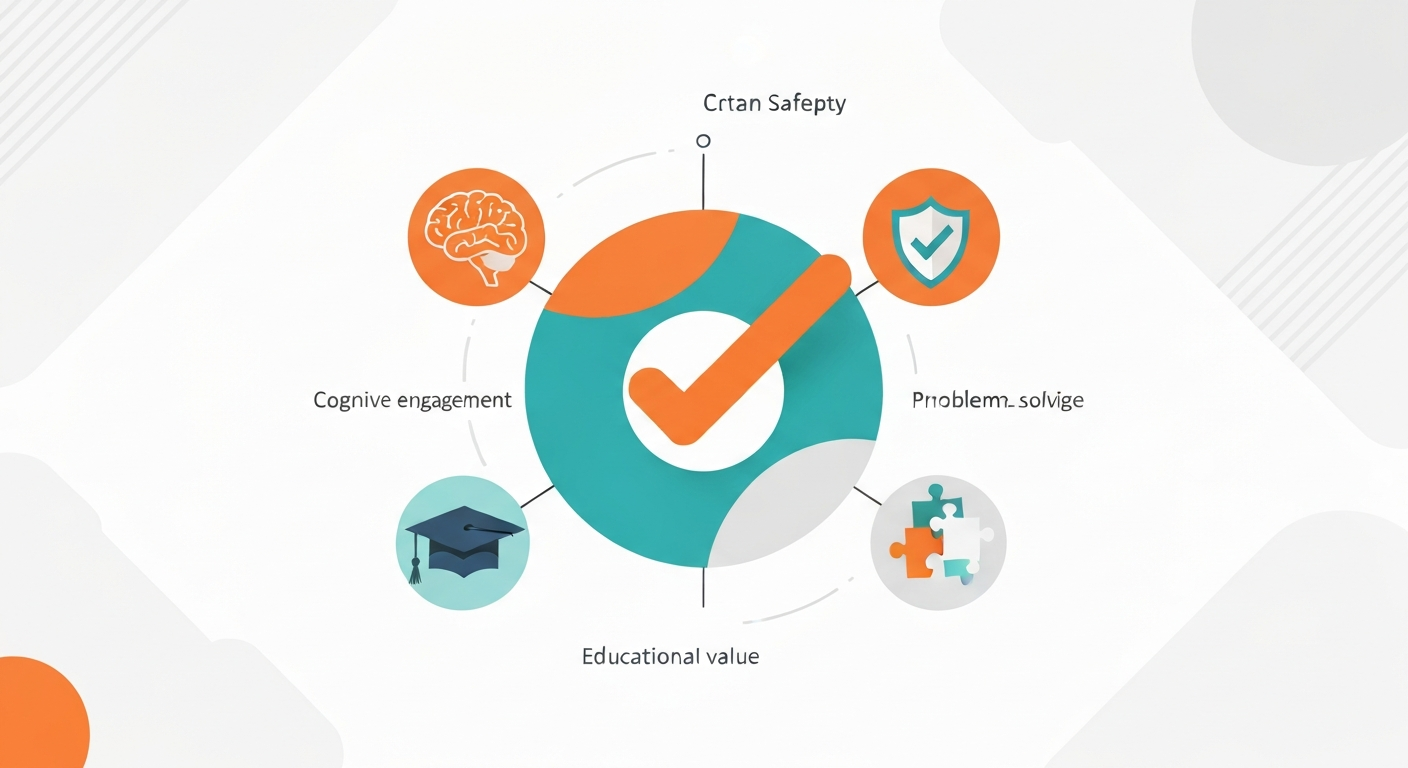
Simply giving access to unblocked games isn’t enough to maximize their impact. They need to be thoughtfully woven into lesson plans. This approach ensures that gameplay has a clear purpose and directly contributes to learning objectives, rather than just being a distraction. Effective integration requires careful planning by educators, bridging the gap between digital play and curriculum goals.
> Integrating unblocked games into lessons effectively means defining clear learning objectives before play, allotting structured time for gameplay, and debriefing with students to connect the game experience to the curriculum. Using platforms like Google Classroom can help manage assignments and track progress.
The very first step for any teacher considering how to use unblocked games for lessons is to establish clear learning objectives. What specific skill or concept should students grasp by playing this game? Is it about improving typing speed, understanding fractions, or learning about a particular historical period? Once objectives are set, educators should pick games that directly align with these goals. It’s also vital to set aside structured time for gameplay. Instead of letting it be unstructured free play, setting specific time limits and even guiding students through certain levels can ensure they focus on the educational aspects. After gameplay, a debriefing session is essential. This involves discussing what students learned, how the game connects to classroom material, and any challenges they faced. Using Learning Management Systems (LMS), like Google Classroom, can make creating assignments, tracking progress, and sharing game-related resources much simpler.
Unblocked Games for Different Age Groups: Elementary to Middle School
Choosing games that are tailored to specific age groups is essential for ensuring both engagement and effective learning. What might captivate an elementary student could easily bore a middle schooler, and vice-versa. The natural progression in cognitive abilities and the increasing complexity of subject matter means different age groups need different kinds of unblocked educational games.
> Elementary students benefit from unblocked games that build foundational skills like literacy and basic math through colorful, intuitive interfaces. Middle schoolers can tackle more complex logic puzzles and subject-specific games that require strategic thinking and deeper content exploration.
For elementary school students, the best unblocked games for elementary school typically focus on foundational skills. Think bright, intuitive games that introduce letters, numbers, simple addition and subtraction, and basic problem-solving. Examples include alphabet matching games, simple math puzzles, and interactive story apps that encourage early reading. These games usually have very clear visual cues and offer immediate feedback, which is critical for younger learners. As students move into middle school, the unblocked games for middle school students can become more intricate and subject-specific. Logic puzzles that require multi-step reasoning, simulation games that explore scientific principles, or strategy games that delve into historical events become much more suitable. These games often demand more critical thinking, planning, and an understanding of more abstract concepts. For instance, a middle schooler might engage with a game that simulates the effects of economic policies or challenges them to design a sustainable ecosystem.
Browser-Based Educational Games vs. Downloadable Apps
When we talk about browser-based educational games, a key distinction emerges between these and downloadable educational apps. Each format has its own set of pros and cons, especially within a school environment where access and ease of use are paramount concerns. Understanding these differences helps educators and IT administrators make smart choices.
> Browser-based unblocked educational games offer immediate access without downloads, which is ideal for school networks and devices like Chromebooks. Downloadable apps might offer richer experiences but can run into installation hurdles and network restrictions, making browser games often the preferred choice for classroom use.
Browser-based games are frequently the preferred option in schools, particularly those using devices like Chromebooks. Their main advantage is accessibility. Students can start playing almost instantly without needing to download or install any software. This bypasses many IT security protocols and administrative headaches. What’s more, these games typically work across various operating systems and devices, as long as a modern web browser is available. This flexibility makes them perfect for diverse classroom settings. Downloadable apps, on the other hand, can sometimes offer more advanced features, richer graphics, or more complex gameplay. However, they often require installation permissions, which can be a major obstacle in managed school networks. Updates can also become a logistical challenge. For ease of deployment and immediate use, especially on locked-down systems, browser-based unblocked educational games usually come out on top.
Addressing Safety and Privacy Concerns with Unblocked Games

While the educational advantages of unblocked games are evident, educators and parents must stay vigilant about safety and privacy. The promise of safe unblocked games for Chromebooks and other devices is a top priority, as not all online platforms are created equal. Understanding potential risks and how to manage them is crucial for maintaining a secure learning environment.
> Ensuring safety and privacy with unblocked games means vetting sites for clear data policies, avoiding games with intrusive ads or in-app purchases, and picking platforms recommended by educators. Teacher-approved games focus on a secure environment where learning is the sole priority.
One of the most significant worries is data collection. Many free online games, especially those not specifically created for education, might gather user data for advertising or other purposes. It’s essential to look for games and websites that have clear, easy-to-find privacy policies and that follow relevant regulations like COPPA (Children’s Online Privacy Protection Act). I’ve found that sites specifically focused on education tend to be more transparent about their data practices. Another risk is the presence of inappropriate content or bothersome advertising. Unblocked game sites meant for children should filter out anything that could be offensive or distracting. Likewise, games that prominently feature in-app purchase prompts can be problematic, potentially leading to unauthorized spending or putting pressure on students. Prioritizing platforms that are explicitly curated by educators or educational institutions significantly reduces these risks, ensuring a focus on safe gaming for kids and a learning experience free from distractions.
The Role of Gamification in Enhancing Student Engagement
Gamification in education is far more than just a trendy phrase; it’s a proven strategy that uses the inherent appeal of games to boost motivation and participation. Unblocked educational games are perfect examples of how these principles can be applied to learning, transforming potentially dry subjects into captivating experiences. The core idea is to integrate game design elements into non-game contexts.
> Gamification in education uses game design elements like points, badges, and leaderboards to boost student motivation and participation. Unblocked educational games embody this by making learning challenges feel like rewarding quests, fostering deeper engagement than traditional methods.
Elements like points, badges, leaderboards, and progress bars tap into our natural drive for achievement and competition. When applied to learning, these mechanics can encourage students to push through difficult tasks, celebrate small successes, and strive for improvement. For example, earning virtual badges for mastering a new math concept or climbing a leaderboard for correctly answering quiz questions can provide tangible rewards that reinforce learning. This approach aligns perfectly with student engagement strategies by making the learning process more dynamic and interactive. It encourages active participation instead of passive information consumption. The result is often a noticeable increase in student motivation, leading to better retention and a more positive attitude towards the subject matter. Gamification within unblocked games makes the learning journey feel less like a chore and more like an exciting challenge.
Future Trends: AI and Unblocked Educational Gaming
The world of edtech games is always evolving, with artificial intelligence set to play an increasingly vital role in the future of unblocked educational gaming. As AI technologies get more advanced, they offer exciting opportunities for creating more personalized, adaptive, and effective learning experiences within the Education Technology sector.
> The future of unblocked educational games includes AI personalizing challenges, adaptive learning paths that cater to individual student needs, and integration with broader EdTech Tools. This evolution promises even more dynamic and effective learning experiences within the Education Technology space.
One of the most promising applications of AI is personalized learning. Imagine an unblocked game that can analyze a student’s performance in real-time, pinpoint areas where they’re struggling, and automatically adjust the difficulty or focus of challenges accordingly. This adaptive learning approach ensures that each student gets instruction tailored precisely to their needs, maximizing their learning efficiency. AI can also help craft more engaging and dynamic game narratives or provide intelligent tutoring support right within the game itself, acting as a virtual guide. Furthermore, AI can assist educators by offering deeper insights into student progress and learning patterns, enabling more targeted interventions. The integration of AI into EdTech Tools signals a move towards more sophisticated and student-centered digital learning environments.
Frequently Asked Questions
Q: What are some fun unblocked games that teachers recommend?
A: Teachers often recommend games like ‘Prodigy Math,’ ‘Scratch,’ ‘Quizlet,’ and ‘Wordscapes’ due to their balance of fun, educational value, and safety, covering subjects from math and coding to vocabulary.
Q: Can you suggest educational unblocked games for online learning?
A: Yes, online learning can be significantly enhanced with unblocked games such as ‘Kahoot!’, ‘Gimkit,’ ‘TypingClub,’ and various subject-specific simulators found on platforms like Coolmath Games or PBS Kids.
Q: Are there any unblocked games that can help students practice math skills?
A: Absolutely. Games like ‘Prodigy Math Game,’ ‘DragonBox Algebra,’ and a variety of puzzle or strategy games on sites like Math Playground provide excellent practice for developing math skills.
Q: What are the best unblocked websites for educational gaming?
A: Top unblocked educational websites include PBS Kids Games, Coolmath Games, Sheppard Software, Math Playground, and specialized coding sites like Scratch or Code.org.
Q: How can I find unblocked games that are safe for school?
A: Look for dedicated educational sites, carefully review their privacy policies, and prioritize games explicitly focused on learning outcomes. Avoid general gaming sites with excessive ads or in-app purchases.
Q: What are some fun unblocked games for school?
A: Fun options include ‘Agar.io’ (strategy/physics), ‘Slither.io’ (strategy), ‘Krunker.io’ (action/aiming), and classic puzzle games like ‘Tetris’ or ‘2048’, provided they can be tied to learning objectives.
Q: Are there unblocked educational games?
A: Yes, a wide array of unblocked educational games exist, specifically designed to teach subjects like math, science, reading, and coding, often integrating curriculum concepts into engaging gameplay.
Q: What are the best unblocked games for students?
A: The “best” games depend heavily on the student’s age and the subject matter. Popular choices include ‘Prodigy’ (math), ‘Scratch’ (coding), ‘Quizlet’ (vocabulary/study), and logic puzzles that enhance critical thinking skills.
Q: What games can you play unblocked at school?
A: You can often play browser-based games on educational sites like PBS Kids or Coolmath Games, or utilize platforms like Scratch. What’s available depends entirely on the school’s network restrictions.
Q: Are there unblocked math games for school?
A: Yes, numerous unblocked math games are readily available on sites like Coolmath Games, Math Playground, and dedicated platforms such as ‘Prodigy Math Game,’ offering practice for skills ranging from arithmetic to algebra.
Q: What unblocked games are good for learning?
A: Games that are beneficial for learning typically focus on specific skills, such as ‘TypingClub’ for typing proficiency, ‘Scratch’ for coding basics, ‘Duolingo’ for language acquisition, or math/science simulation games.