
Frustrating, isn’t it? You’re ready to dive into your favorite online game, but the network you’re on – be it at school, work, or a coffee shop – has other ideas. Many networks put up digital walls, blocking access to gaming sites and servers. This guide is your roadmap to safely and legally getting around these limitations, so you can game responsibly without breaking rules or compromising your security.
Understanding Why Games Get Blocked
Network administrators typically put restrictions in place for a few key reasons: managing internet usage, ensuring productivity, and bolstering security. These blocks can range from simple website blocking to more advanced deep packet inspection, which actively looks for and halts specific traffic types, including online gaming. It’s smart to know what you’re up against before trying to bypass anything.
> Network restrictions are often implemented by IT departments to prevent access to specific websites, applications, or services, including online games. These can range from simple URL blocks to more complex deep packet inspection, aiming to maintain productivity, security, and network bandwidth.
Schools and workplaces are common culprits, using firewalls and content filters to keep you off gaming platforms. Firewalls act like bouncers at a digital club, checking every piece of data and shutting down anything that doesn’t fit the rules. Content filters maintain blacklists of sites and apps deemed off-limits or non-essential. This means that while you might be able to browse general websites, the constant connections and high data flow of online gaming often trigger an immediate block. Legally unblocking games means playing by the network’s rules and respecting their terms of service; going against them could lead to trouble.
The Safest Route: Using VPNs to Get Past Network Blocks
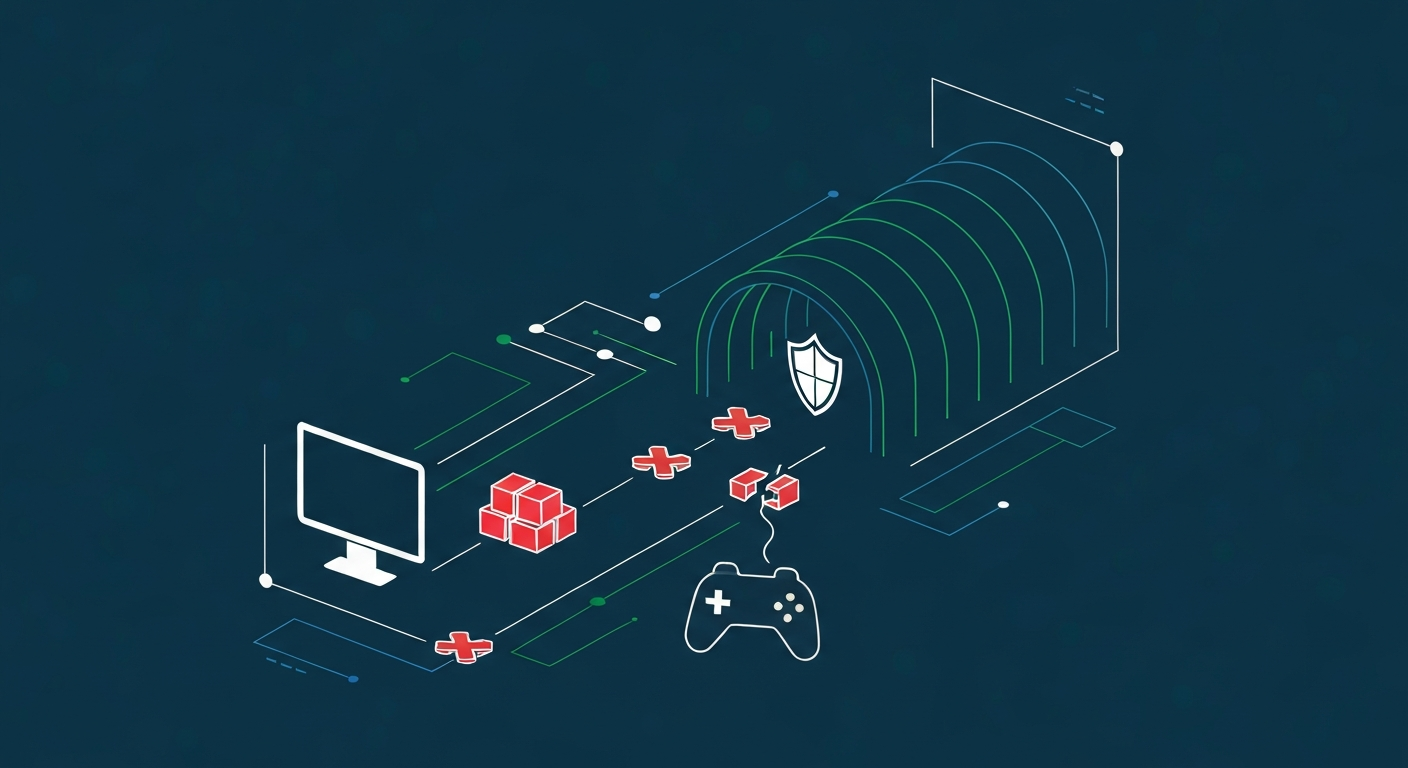
When it comes to bypassing network restrictions for gaming, Virtual Private Networks (VPNs) are your most effective and secure allies. Think of a VPN as creating a private, encrypted tunnel for all your internet traffic. Your data travels through this tunnel to a remote server run by the VPN provider, effectively hiding your activity from the network administrator.
> Reputable VPNs encrypt your internet traffic, routing it through a secure server that masks your original IP address. This encryption makes your online activity appear as generic web browsing, effectively bypassing most network filters designed to block specific game-related traffic.
Choosing a trustworthy VPN is crucial. Services like [LINK:nordvpn-review], [LINK:expressvpn-review], and [LINK:protonvpn-review] are consistently praised for their speed, strong security, and wide array of server locations. When you’re picking one, look for robust encryption protocols (like OpenVPN or WireGuard), a firm no-logs policy, and servers in countries that don’t share the same restrictions. Setting up a VPN is usually a breeze: just download and install their app, log in, and connect to a server. Once you’re connected, your real IP address is swapped out for the VPN server’s, and your data gets encrypted. This makes your online activity appear as standard internet browsing, significantly reducing the chances of your gaming traffic being identified or blocked. Honestly, I’ve found VPNs to be a lifesaver when traveling, letting me access games that would otherwise be inaccessible due to local network policies. This is precisely why using a reputable VPN encrypts your gaming traffic, making it appear as general internet activity and harder for network administrators to block.
An Alternative: Proxies for Game Access
Proxy servers offer another way to get around network restrictions, though they generally don’t provide the same level of security and privacy as VPNs. A proxy server acts as a middleman between your device and the internet. When you try to access a blocked game or site, your request first goes to the proxy server. It then forwards the request to the target server and sends the response back to you.
> Proxy servers act as intermediaries between your device and the internet, masking your IP address and allowing access to blocked content. While they can bypass basic restrictions, they typically lack the robust encryption of VPNs, making them less secure for sensitive online activities.
There are a few kinds of proxies. Web proxies are the simplest; you visit a proxy website, type in the game’s URL, and the proxy server loads it for you. This works well for basic URL blocks. SOCKS proxies are a bit more advanced and can be configured in your browser or even some game clients for broader traffic routing. However, a big downside for most proxy servers, especially the free ones, is the lack of encryption. This means your traffic is still visible to network administrators, and they can easily spot and block proxy use. I’ve found that free proxies can be incredibly unreliable, often loaded with ads, malware, or just too slow for any responsive gaming. So, while proxies can be a quick fix for simple blocks, they’re not my top recommendation if you’re serious about security or performance.
Playing Fair: Understanding Terms of Service and Policies
The most critical part of unblocking games is making sure you do it legally and ethically. This means you must understand and respect the terms of service (ToS) and acceptable use policies (AUP) of the network you’re using. Schools, workplaces, and public Wi-Fi providers all have their own rules about internet usage, and breaking them can lead to significant consequences.
> Legally unblocking games means respecting the rules set by network administrators and service providers. Unauthorized circumvention can lead to disciplinary actions, loss of network access, or even legal consequences, so always review and adhere to the relevant terms of service.
Before you even think about bypassing restrictions, take a moment to find and read the network’s AUP. For instance, a company’s IT department might have a firm policy against any non-work-related activity, which would absolutely include gaming. This is often clearly stated in your employee handbook or an agreement you digitally signed. Likewise, educational institutions usually have policies designed to keep the learning environment focused. If the ToS explicitly forbids using VPNs or any method of circumventing traffic rules, then using these tools could result in disciplinary action—from a simple warning to losing network access, or even more severe penalties depending on the violation. Understanding what “legal” unblocking means involves staying within these boundaries. Can you use a VPN to play games on a public network? Generally, yes, if the public network’s policy doesn’t explicitly ban VPNs. But it’s always best to play it safe and check the specific terms.
Getting Technical: DNS, Routers, and Gaming Consoles
Beyond VPNs and basic proxies, there are a few more advanced tricks up your sleeve, especially if you have more control over your network or devices. One such method involves tweaking your device’s Domain Name System (DNS) settings. DNS servers are like the internet’s phone book, translating human-friendly website names (like google.com) into the IP addresses computers use.
> Advanced methods like changing DNS settings or configuring routers can offer alternative ways to bypass network restrictions. While DNS changes can circumvent some filters, router configurations provide more control but require technical expertise and may still be subject to network policies.
By switching to public DNS servers, such as Google DNS (8.8.8.8 and 8.8.4.4) or Cloudflare DNS (1.1.1.1 and 1.0.0.1), you can sometimes get around DNS-level filtering put in place by the network administrator. This is a fairly simple change that can grant access to games blocked purely by name resolution. For more in-depth control, especially on your home network or if you have access to a router, configuring the router itself can be an option. This might involve setting up a VPN directly on the router, which then protects all devices connected to it, or adjusting firewall rules on your personal routers. This definitely requires some technical know-how and a solid grasp of network configurations. For users on networks where installing software isn’t an option, like some public computers or locked-down terminals, these methods can sometimes work. However, remember that trying to change DNS settings without administrative rights on a work or school computer likely won’t be possible, and router configurations are usually only feasible in your own controlled space. I’ve found changing DNS to be a quick fix for certain blocks, but it’s not as robust as a VPN. For more detailed instructions, check out [LINK:dns-settings-unblock-games].
Unblocking Games in the Real World: School and Work

The struggle to unblock games is especially common in academic and professional environments. School IT departments and corporate network administrators are actively managing network traffic to ensure it aligns with their institution’s goals, which rarely include unrestricted gaming access.
> Unblocking games at school or work requires careful consideration of policies and available tools. Using a VPN is often the most effective method, but understanding network protocols and respecting administrator rules is crucial to avoid disciplinary action or security breaches.
If you’re asking yourself, “How can I play blocked games on my school’s network?”, the most common and recommended technical solution is a reputable VPN. It masks your traffic, making it look like regular web browsing and thus less likely to be flagged by school firewalls. However, it’s important to know that some schools actively block VPN traffic itself. In such cases, trying out different VPN protocols or servers might be necessary, but always stay within the school’s acceptable use policy. For a corporate network, the stakes are often much higher. If you’re wondering, “What’s the best way to get around game blocks on a corporate network?”, the answer is still often a VPN, but proceed with extreme caution. Companies usually have more sophisticated monitoring systems, and unauthorized access can lead to serious repercussions. A personal VPN on a company-issued device can be a clear violation of IT policy. For specific games, you might look into [long_tail_keywords:how to unblock specific games on a work network], but prioritize understanding the explicit rules. My experience tells me that in corporate environments, it’s often best to avoid trying to bypass restrictions altogether, or at least ensure your methods are completely undetectable and non-disruptive. For most users, a robust VPN remains the most practical technical solution, provided it aligns with the institution’s acceptable use policy.
Picking the Right Tool: VPNs vs. Proxies for Gaming Performance
When you’re deciding how to unblock games, the performance impact of your chosen tool is a huge factor, especially for fast-paced online gaming. While both VPNs and proxy servers can get you past network blocks, their effects on speed, latency, and connection stability can be quite different.
> For gaming, VPNs generally offer superior performance and security over proxy servers. While proxies can bypass simple blocks, VPNs provide robust encryption and often have optimized servers for lower latency, crucial for a smooth online gaming experience.
VPNs, especially the paid ones, are typically engineered for speed. They invest in high-bandwidth servers and use efficient protocols (like WireGuard) to minimize the overhead from encryption. This means lower ping times (latency) and more stable connections – all critical for competitive online play. Proxy servers, on the other hand, are often less performant. Free proxies, in particular, are infamous for their slow speeds, unreliable connections, and sometimes even logging your data or injecting malware. While some premium proxy services do exist, they rarely match the overall performance and security offered by a dedicated gaming VPN. It’s tempting to search for the [long_tail_keywords:best free VPN for unblocking games without detection], but I strongly advise against it. Free services often cut corners on security, privacy, and performance, making them unsuitable for gaming and potentially exposing you to risks. The trade-off between security and speed is real; more robust encryption can sometimes add a little overhead, but the benefits of a secure, fast connection from a good VPN far outweigh the risks of using less secure alternatives. For a clearer picture, let’s compare:
| Feature | VPN | Proxy Server |
|---|---|---|
| Security | Strong encryption, IP masking | Limited to no encryption, IP masking |
| Privacy | No-logs policy, protected traffic | Often logs user data, traffic visible |
| Speed | Generally high, optimized servers | Variable, often slow, especially free ones |
| Latency | Lower, better for gaming | Higher, can cause lag |
| Ease of Use | User-friendly apps | Varies; web proxies simple, SOCKS complex |
| Cost | Typically paid, but worth the investment | Many free options, but risky |
Staying Under the Radar: Avoiding Detection and Maintaining Anonymity
A big concern for users trying to unblock games is staying hidden from network administrators. Even with tools like VPNs, networks can deploy sophisticated monitoring systems. Staying anonymous requires a smart mix of the right tools and careful online behavior.
> Avoiding detection involves using robust security tools like VPNs with advanced obfuscation features and understanding how network monitoring works. Practicing discretion and adhering to ethical online behavior further minimizes the chances of being flagged by network administrators.
Using a VPN that offers obfuscation features is a key strategy. This technology helps disguise VPN traffic as regular HTTPS traffic, making it much harder for network administrators to identify it as VPN usage. This is especially useful on networks that actively try to block VPN connections. Beyond technical tools, discretion is crucial. Avoid extended gaming sessions that gobble up massive amounts of bandwidth, as this can draw unwanted attention. Also, be mindful of when you’re gaming; off-peak hours are usually less scrutinized. If you suspect your VPN use has been detected, the first step is to switch to a different VPN server or try a different VPN protocol. Make sure your VPN has a strict no-logs policy, so even if your traffic is flagged, your activity isn’t recorded by the provider. Remember, the goal is to unblock online games without admin permission in a way that’s responsible and doesn’t disrupt the network for others.
Troubleshooting Common Unblocking Hurdles
Even with the right tools, you might hit snags when trying to unblock games. Common issues include sluggish speeds, connection drops, or the game simply remaining inaccessible. Troubleshooting these problems can often get your gaming experience back on track.
> Common issues when unblocking games include slow performance, connection failures, or persistent blocks. Troubleshooting often involves switching VPN servers, updating software, checking your device’s network configuration, or verifying that the chosen method complies with network policies.
If your gaming performance is lagging, try connecting to a different VPN server. Servers that are closer to your actual location or less crowded usually offer better speeds and lower latency. Make sure your VPN software and device drivers are up-to-date; older versions can cause compatibility problems. Network diagnostics can also be really helpful. For example, checking your internet speed without the VPN active can tell you if the issue is with the network itself or the VPN. If your game is still blocked after connecting to a VPN, it’s possible the network is using advanced VPN detection methods. In these cases, experimenting with different VPN protocols within your VPN client’s settings can sometimes bypass these blocks. If you’re using a VPN on a corporate network and run into problems, it’s a strong sign that the Corporate Network Administrator has implemented tight controls, and further attempts could be risky. A personal troubleshooting tip that fixed a persistent game-blocking issue for me involved clearing the game’s cache and then reconnecting via a different VPN protocol; this seemed to reset any lingering connection attempts the network might have been flagging. For more in-depth help, refer to [LINK:troubleshooting-vpn-connection-issues].
The Ever-Changing World of Network Access and Online Gaming
The continuous advancements in cybersecurity and network management mean that the methods for accessing games on restricted networks are always evolving. As network security gets smarter, so do the tools and techniques for bypassing restrictions, creating an ongoing game of cat and mouse between administrators and users.
> The landscape of network access and online gaming is constantly evolving, with new technologies and stricter policies emerging. Staying informed about cybersecurity best practices and adapting to changes is key for gamers navigating restricted networks.
New technologies and protocols could either open up new avenues for access or introduce more powerful blocking mechanisms. For instance, improvements in traffic analysis and AI-powered network monitoring might make it easier for administrators to spot and block even heavily disguised traffic. Conversely, new encryption standards or tunneling techniques could offer more effective ways to mask gaming activity. Cybersecurity best practices will continue to grow in importance, influencing both network policies and the development of user-facing tools. Staying informed about these shifts, understanding the limitations of various bypass methods, and always prioritizing legal and ethical access will be crucial for gamers in the years ahead. As network security advances, methods to bypass restrictions may become more sophisticated, but so will detection techniques. Staying aware of technological developments and network policies is essential for any gamer facing access challenges.
Frequently Asked Questions
Q: How to unblock games on any network?
A: Use a reputable VPN service to encrypt your traffic and mask your IP address. This makes your activity look like general internet use. Always check network policies first.
Q: How to unblock games on school Wi-Fi?
A: A reliable VPN is usually the safest and most effective method. Be sure to understand school policies to avoid disciplinary action.
Q: How to unblock games on Windows 11?
A: Install a VPN client on your Windows 11 device. Connect to a server, then launch your game. Also, check Windows firewall settings for any interference.
Q: How to unblock games on Chrome OS?
A: Install a VPN app from the Chrome Web Store or use a ChromeOS-native client. Connect to a server before you start playing your game.
Q: How to unblock games on a work computer?
A: Employ a secure VPN. However, be extremely cautious and aware of your company’s IT policy, as unauthorized access can have serious consequences.
Q: How to unblock games without admin rights?
A: Portable VPN applications or proxy sites that don’t require installation can be used. Ensure they are reputable and secure.
Q: How to unblock games using VPN?
A: Download and install a VPN client from a trusted provider. Connect to a server that isn’t restricted by the network, then play your game.
Q: How to unblock games using proxy?
A: Use a web proxy site by entering the game’s URL, or configure a SOCKS proxy in your browser or game client. Note that proxies offer less security than VPNs.