
Remember the thrill of dropping a quarter into a glowing arcade cabinet, feeling the heavy click of the coin mechanism, and hearing that iconic 8-bit startup sound echo across a dimly lit room? For an entire generation, the local arcade was a sanctuary of neon lights, sticky patterned carpets, and the relentless pursuit of the high score. Today, the desire to revisit those beloved 80s and 90s titles remains incredibly strong, but the logistics can often feel like a massive chore. Recreating that magic historically required tracking down expensive vintage hardware, dedicating half a room to bulky wooden cabinets, or navigating a frustratingly complex maze of emulator software downloads, BIOS files, and configuration menus.
Fortunately, the technology landscape has evolved. You no longer need a degree in computer science or a pocket full of tokens to enjoy the golden age of gaming. The modern web has transformed into a powerful, frictionless arcade parlor. This guide will show you exactly how to play classic arcade games online directly in your web browser. From navigating the best free websites available in 2026 to setting up simple, authentic controller configurations, you will be dodging ghosts, throwing fireballs, and setting new high scores in a matter of minutes.
1. Where to Play Retro Games Online Free in 2026
The internet of 2026 is a treasure trove for retro gaming enthusiasts, provided you know exactly where to look. Gone are the days of relying on clunky, security-risk plugins like Adobe Flash. Today’s browser-based gaming relies on highly efficient, native web technologies that allow complex arcade motherboards to be simulated flawlessly within a standard browser tab. Finding the most reliable and user-friendly platforms is the first step to building your digital arcade.

At the absolute forefront of this movement is the Internet Archive’s Internet Arcade. This is not just a gaming website; it is a premier, ad-free historical preservation project. Curated by dedicated software historians, the Internet Arcade houses over a thousand classic coin-operated arcade games spanning from the bronze age of video games in the 1970s through the golden era of the 1990s. Because it operates as a digital library, you will not be bombarded with banner ads or suspicious pop-ups. You simply search for a title, click the power button on the virtual screen, and the game boots up exactly as it did decades ago, complete with the original boot-up sequence and memory checks.
Beyond the Internet Archive, there is a thriving ecosystem of community-driven sites that host online retro emulators. Platforms that have refined their user interfaces in 2026 often present you with a virtual vintage arcade cabinet right on your screen. These community hubs are fantastic because they often feature curated playlists, user ratings, and even global leaderboards. You can easily find curated lists of “Best Beat-’em-ups” or “Top 80s Shooters,” making game discovery incredibly intuitive. These sites utilize integrated emulators that require zero configuration on your end—the website handles all the heavy lifting in the background.
Additionally, we are seeing a wonderful trend of official publisher websites offering free, browser-based versions of their classic intellectual properties. Companies that own massive legacy catalogs have realized that offering browser-based slices of their history is a great way to engage fans. You can often find official, beautifully optimized web versions of legendary franchises hosted directly by the creators. These official ports are usually the most polished experiences available, featuring modernized menus, save states, and sometimes even online multiplayer capabilities integrated directly into the browser window. Whether you choose a preservation library, a community hub, or an official publisher site, the sheer volume of free, accessible arcade history in 2026 is staggering.
2. Best Classic Video Games 2026: Must-Play Browser Titles
With thousands of titles at your fingertips, the sheer paradox of choice can be overwhelming. However, certain games have proven to be timeless, drawing massive numbers of browser players in 2026 simply because their core gameplay loops are perfect. The 1980s laid the foundation for the entire industry, and those early hits remain incredibly popular for quick, browser-based sessions.

If you want to know how to play Pac-Man online, the answer is simpler than ever, and it remains the undisputed king of the maze chase genre. The frantic energy of dodging Blinky, Pinky, Inky, and Clyde translates beautifully to a keyboard’s arrow keys. Similarly, Space Invaders continues to captivate players with its brilliant, accelerating tempo—the way the alien march speeds up as you thin their ranks is a masterclass in tension-building that still works flawlessly on a modern laptop screen. And of course, there is Donkey Kong. Navigating Jumpman (before he was officially known as Mario) over rolling barrels and flaming oil drums requires a level of pixel-perfect timing that feels just as rewarding today as it did in 1981.
Moving into the 1990s, the arcade scene shifted heavily toward competitive head-to-head experiences, and these top 90s hits are thriving in browser ports. Classic fighting games are the main attraction here. Street Fighter II revolutionized the industry with its complex six-button layout and special move inputs. Executing a perfect Hadouken or Shoryuken directly in your browser feels like a magic trick of modern technology. Right alongside it is Mortal Kombat, which brought digitized graphics and infamous fatalities to the arcade floor. Browser players today love revisiting these fighting game titans, often using them to settle quick scores with friends during lunch breaks.
Beyond one-on-one fighting, the 90s were the golden age of scrolling shooters and cooperative beat-’em-ups. Galaga, technically an 80s release but a staple of 90s arcade corners, offers that addictive risk-reward mechanic of letting your fighter get captured just to rescue it for double firepower. Meanwhile, beat-’em-ups like Teenage Mutant Ninja Turtles: Turtles in Time represent the pinnacle of arcade joy. Walking from left to right, mashing the attack button, and throwing Foot Clan soldiers directly at the screen is pure, unadulterated fun.
Why do these specific titles translate so incredibly well to modern web browsers and keyboards? It comes down to design simplicity. Arcade games were built to be understood in seconds. They rarely require complex camera controls or dual-analog stick manipulation. A standard modern keyboard, utilizing the WASD keys for movement and the spacebar for action, perfectly mimics the four-way joystick and large, clicky buttons of a vintage cabinet. The immediate, pick-up-and-play nature of these classics makes them the ultimate palate cleanser in a world of 100-hour modern gaming epics.
3. Browser Emulators vs. Abandonware vs. Official Ports
When diving into the world of online retro gaming, you will inevitably encounter a bit of technical terminology. Understanding the mechanics behind how these games reach your screen will help you find the best possible experience. The most common question newcomers ask is: “Do I need to download an emulator to play retro games online?”
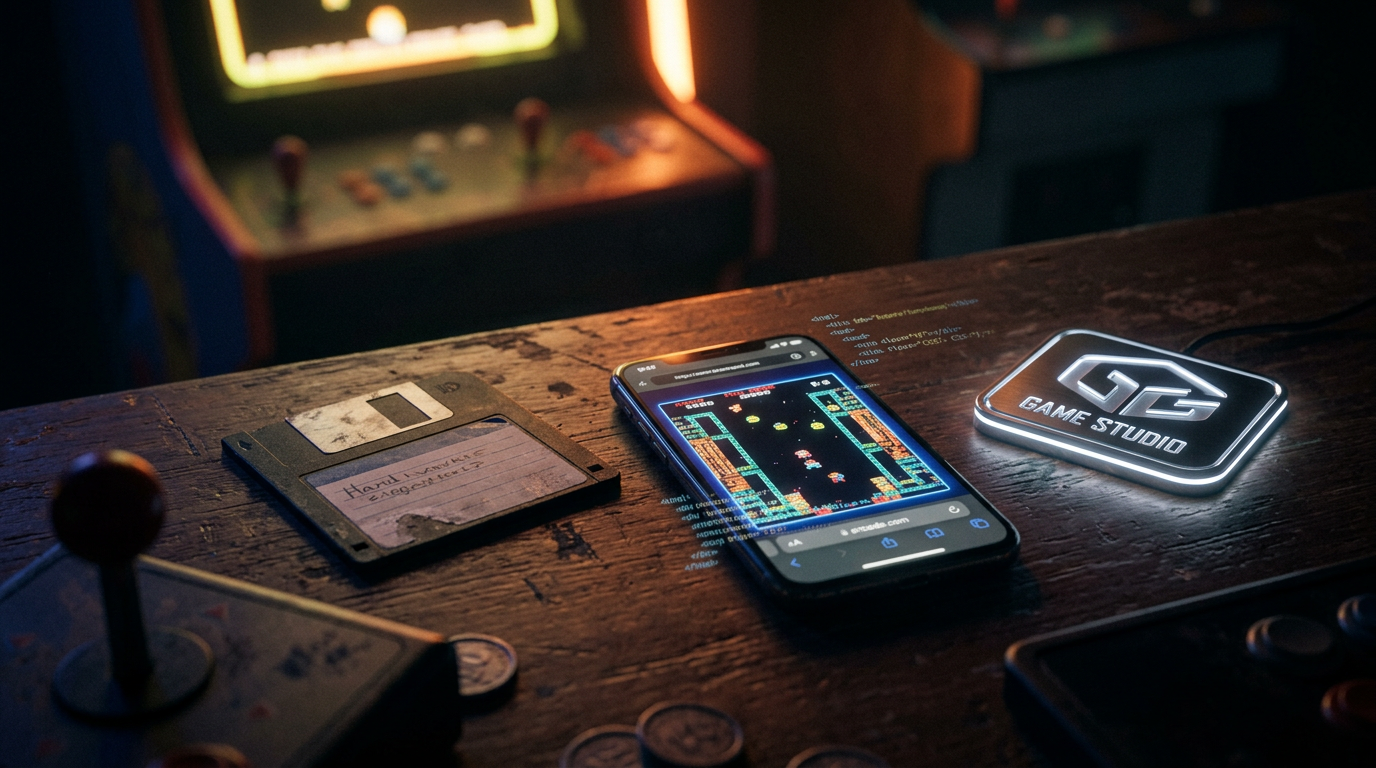
The definitive answer in 2026 is no. You do not need to download, install, or configure any standalone emulator software. This is made possible by incredible advancements in web technologies, specifically HTML5 and WebAssembly. WebAssembly allows complex code—like the intricate architecture of a 1980s arcade motherboard—to be compiled and run natively within your web browser at near-native speeds. When you click “Play” on a retro gaming site, the browser temporarily downloads a tiny, self-contained emulator and the game file, running them together in an isolated, secure sandbox. The moment you close the tab, it vanishes. It is the ultimate plug-and-play experience.
As you explore, you will frequently hear the term “abandonware.” Abandonware refers to games online where the original publisher has either gone out of business, lost the source code, or simply stopped enforcing their intellectual property rights. These games exist in a sort of digital purgatory. Preservationists host them online to ensure they aren’t lost to history. This differs drastically from actively protected intellectual properties. Companies like Nintendo, Sega, and Namco still actively sell, bundle, and protect their classic games. While you might find a Mario game on a community site, it is not abandonware; it is a protected IP that the community is hosting, often in a legal gray area.
There is also a significant technical difference between playing a raw ROM through a browser emulator versus playing an official, modernized digital port. A raw ROM is a direct, 1:1 dump of the code found on the original arcade circuit board. When played through a browser emulator, it will include all the original quirks, slowdowns, and glitches of the arcade hardware. It is the raw, unfiltered historical artifact. An official port, however, has been re-coded or wrapped by the original publisher for modern systems. Official ports often feature quality-of-life improvements like widescreen support, smoothed graphics, instant save states, and online leaderboards.
Regarding performance expectations, you can set the bar incredibly high. Old school arcade games running on modern 2026 web browsers perform flawlessly. The processing power of even a basic modern smartphone or budget laptop is exponentially greater than the massive wooden cabinets of the 1980s. You can expect perfect 60 frames-per-second gameplay, authentic audio reproduction without stuttering, and zero dropped frames. The browser has truly become the ultimate universal gaming console.
4. How to Connect Modern Controllers for Browser Gaming
While playing classic arcade games on a keyboard is entirely possible and surprisingly responsive, nothing beats the tactile feedback of a real controller in your hands. It bridges the gap between a modern computer screen and the nostalgic feel of the arcade. Fortunately, connecting modern controllers for browser gaming is a seamless process in 2026.
Here is a quick setup guide for connecting modern Bluetooth gamepads—like the Xbox Wireless Controller, PlayStation DualSense, or Nintendo Switch Pro Controller—to your PC or Mac. First, put your controller into Bluetooth pairing mode (usually by holding the sync button on an Xbox controller, or the Share + PS button on a PlayStation controller until the lights flash). Next, open your computer’s Bluetooth settings, locate the controller in the list of available devices, and click connect. Modern operating systems natively recognize these controllers immediately. There are no third-party driver installations required.
Once connected to your computer, you need to map the buttons within the popular online retro emulators. When you load a game in your browser, look for a small gamepad or gear icon, usually located at the bottom edge of the game window. Clicking this will open the input settings. The emulator will prompt you to press the corresponding button on your controller for “Up,” “Down,” “Action 1,” “Action 2,” and the all-important “Insert Coin” button. It takes about thirty seconds to map your directional inputs and face buttons, and most modern browsers will remember your configuration for the next time you visit the site.
If you want to take your nostalgia to the absolute maximum, I highly recommend investing in a modern arcade stick. These devices offer an authentic vintage arcade cabinet feel, featuring the large, spherical joysticks and massive, clicky buttons you remember. Brands have perfected the USB plug-and-play arcade stick in recent years. You simply plug the USB cable into your computer, and the browser recognizes it as a standard gamepad. Feeling the mechanical microswitches click as you execute a fighting game combo is an experience a standard gamepad simply cannot replicate.
Occasionally, you might run into technical hiccups, the most common being input lag—a slight delay between pressing a button and seeing the action on screen. This can be fatal when playing fast-paced classic fighting games or precision platformers in a web browser. To troubleshoot input lag, first try connecting your controller via a physical USB cable instead of Bluetooth, as wireless interference can cause delays. Secondly, ensure your computer monitor or television is set to “Game Mode” to reduce display latency. Finally, check your browser settings and ensure “Hardware Acceleration” is turned on, which allows the browser to use your computer’s graphics card to process the game faster, resulting in a crisp, highly responsive experience.
5. Are Online Retro Emulators Legal and Safe?
As you dive into the vast libraries of free arcade games available on the web, it is natural to pause and wonder about the catch. Are online retro emulators legal, and more importantly, are these websites safe for your computer? Navigating this space requires a bit of common sense and an understanding of digital copyright laws.
First, let us address the legal considerations of playing classic arcade games on free websites. The emulator software itself—the code that mimics the arcade hardware—is 100% legal. Emulators are simply virtual machines. The legal friction comes from the game files themselves, known as ROMs. ROMs are copyrighted software. Downloading or distributing a ROM of a game you do not legally own is, by the letter of the law, copyright infringement.
However, the reality of retro gaming exists in a massive ‘gray area’ heavily reliant on the concept of abandonware. For thousands of arcade games from defunct companies that went bankrupt in the 80s and 90s, no one is left to claim or enforce the copyright. Preservationists argue that hosting these games is a historical necessity to prevent digital extinction. On the other end of the spectrum are massive, active publishers like Nintendo, Namco, and Sega. These companies hold strict copyright protections and actively monetize their retro catalogs. Playing a Mario or Pac-Man ROM on an unauthorized site is technically illegal, though publishers generally target the website owners distributing the files, not the individual players playing them in a browser.
Regardless of the legal nuances, your primary concern should be digital safety. The retro gaming space is unfortunately filled with bad actors looking to exploit nostalgia. To practice safe browsing, you must avoid malicious websites. The golden rule of browser emulation is this: You should never have to download an executable (.exe) file to play a browser game. If a site asks you to download a “special player” or a “game downloader tool,” leave immediately; it is almost certainly malware.
Furthermore, be wary of excessive pop-up ads and fake download buttons designed to trick you into clicking malicious links. Using a robust ad-blocker in 2026 is highly recommended when exploring community emulator sites. To identify legitimate preservation sites versus pirated ROM distributors, look at the presentation and the mission. Legitimate sites like the Internet Archive operate as registered non-profits with clear educational and historical mandates. Shady sites are usually plastered with intrusive ads, boast about “free downloads” of modern games alongside retro ones, and lack any information about their hosting practices. Stick to the recognized, well-documented platforms, and your retro gaming journey will be completely secure.
Conclusion
Reliving the golden age of gaming no longer requires a pocket full of quarters, a dedicated basement space, or a degree in software configuration. The barriers to entry that once kept these incredible pieces of digital history locked away have been completely dismantled. Thanks to the power of modern browser emulators, the availability of official publisher ports, and the tireless work of dedicated preservation sites, playing classic arcade games online in 2026 is safer, faster, and more accessible than it has ever been in the history of the medium.
The arcade may have closed its physical doors, but its spirit is alive and well inside your web browser. Grab your favorite modern controller, head over to one of our recommended retro gaming sites, and start chasing those high scores today! Whether you are introducing a new generation to the magic of Pac-Man or finally mastering that Street Fighter II combo that eluded you thirty years ago, the classics are waiting. Don’t forget to bookmark this page for your next nostalgic gaming session.